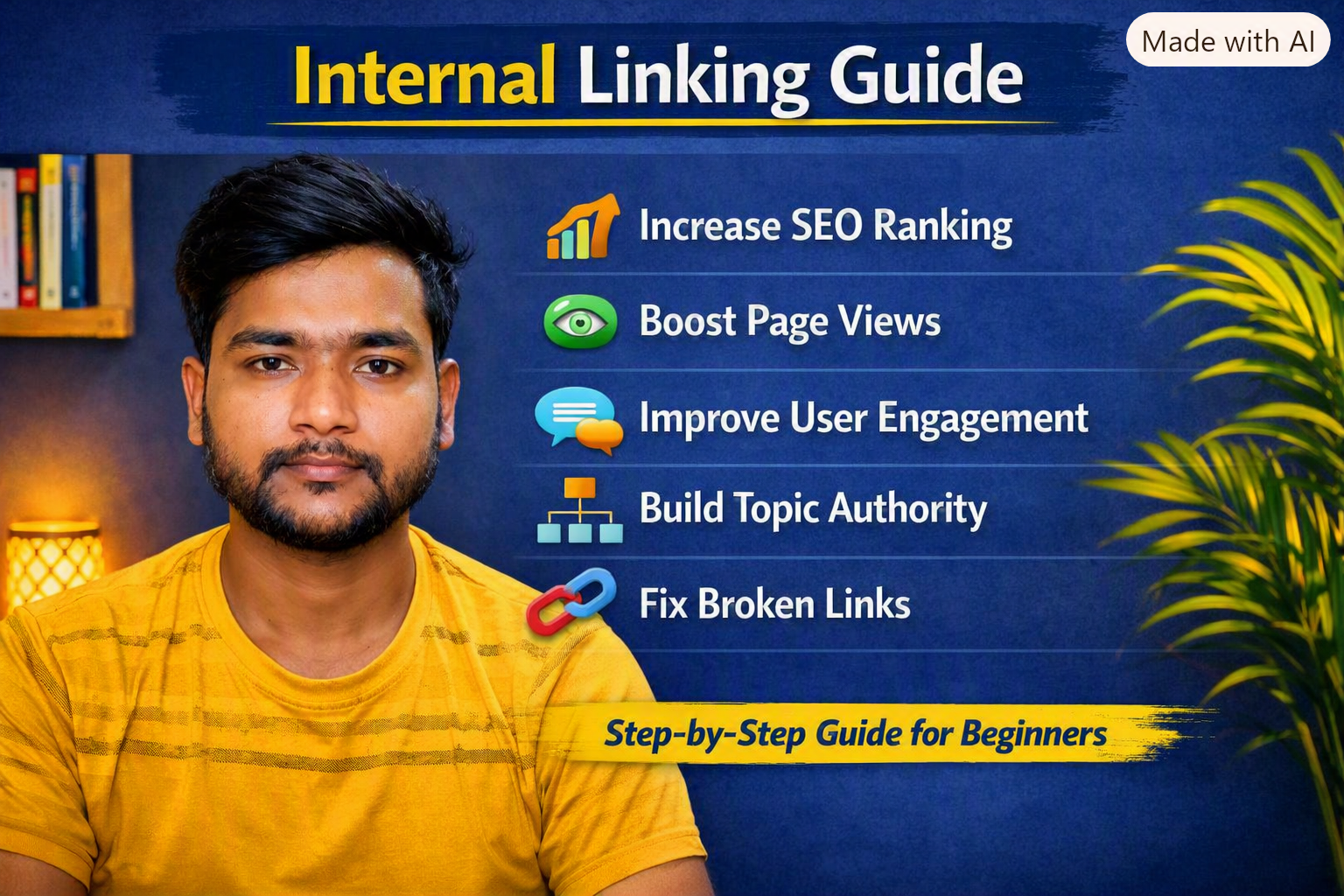
Website पर Internal Linking कैसे करें: अगर आप Blog या Website SEO पर काम कर रहे हैं, तो आपने Internal Linking के बारे में जरूर सुना होगा। बहुत से नए Bloggers Keyword Research, Backlinks और Content Writing पर तो ध्यान देते हैं, लेकिन अपनी ही Website के अलग-अलग Pages को आपस में जोड़ना भूल जाते हैं।
यही Internal Linking है।
सरल भाषा में कहें तो जब आप अपनी Website के एक Page या Blog Post से उसी Website के दूसरे relevant Page या Blog Post को Link करते हैं, तो उसे Internal Link कहा जाता है। Internal Links Users को आपकी Website पर एक Page से दूसरे Page तक जाने में मदद करते हैं और Search Engines को Website के Pages के बीच relationship और structure समझने में मदद कर सकते हैं। (Ahrefs)
इस Article में हम विस्तार से जानेंगे कि Internal Linking क्या है, Internal Linking कैसे करें, कितने Internal Links लगाने चाहिए, Anchor Text क्या होता है, इसके Positive और Negative Effects क्या हैं और Blog में Internal Links कहाँ लगाने चाहिए।
Internal Linking क्या है?

Website पर Internal Linking कैसे करें: Internal Linking का मतलब है अपनी Website के एक Page से अपनी ही Website के किसी दूसरे Page पर Link देना।
उदाहरण के लिए मान लीजिए आपकी Website पर ये Articles हैं:
- SEO कैसे करें?
- Keyword Research कैसे करें?
- Google में Blog Rank कैसे करें?
- Blog क्या है?
- Content Writing क्या है?
- Google Search Console कैसे इस्तेमाल करें?
अब आपके “SEO कैसे करें?” वाले Article में अगर आप “Keyword Research कैसे करें?” वाले Article का Link लगाते हैं, तो यह Internal Link होगा।
उदाहरण:
SEO करने के लिए सबसे पहले [Keyword Research कैसे करें] यह समझना जरूरी है।
यहाँ “Keyword Research कैसे करें” पर दिया गया Link आपकी Website के दूसरे Article पर जाएगा।
Internal Linking SEO के लिए क्यों जरूरी है?
Website पर Internal Linking कैसे करें: Internal Linking केवल Visitors को दूसरे Pages पर भेजने के लिए नहीं है। इसकी मदद से Search Engines आपकी Website के Pages को Discover और उनके बीच संबंध को समझ सकते हैं। Internal Links आपकी Website के महत्वपूर्ण Pages की ओर Users और Crawlers को guide करने में भी मदद कर सकते हैं। (Ahrefs)
इसके कुछ प्रमुख फायदे हैं:
1. Google को नए Pages Discover करने में मदद मिलती है
Website पर Internal Linking कैसे करें: अगर आपने कोई नया Blog Post Publish किया है और आपकी Website के दूसरे relevant Pages से उस Post का Link दिया है, तो Search Engine Crawlers उस Link को Follow करके उस Page तक पहुंच सकते हैं।
Google के अनुसार, उसके systems कई Pages को Links के माध्यम से discover करते हैं।
Google Search से जुड़ी official documentation के लिए आप Google Search Central देख सकते हैं।
2. Website का Structure बेहतर होता है
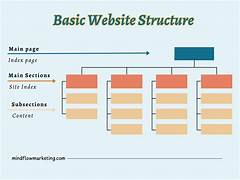
Website पर Internal Linking कैसे करें: Internal Links आपकी Website के अलग-अलग Pages को आपस में जोड़ते हैं।
उदाहरण:
SEO
↓
Keyword Research
↓
On-Page SEO
↓
Technical SEO
↓
Google Search Console
इस तरह की structure से Users को समझ आता है कि कौन-सा Content किस Topic से related है।
3. Users ज्यादा Content पढ़ सकते हैं
Website पर Internal Linking कैसे करें: मान लीजिए कोई User आपके Article “SEO कैसे करें?” पर आया है।
Article पढ़ते समय उसे “Keyword Research” समझ नहीं आया।
अगर आपने वहीं Internal Link दिया है:
Keyword Research क्या है और कैसे करें?
तो User उस Link पर क्लिक करके आपकी दूसरी Post पढ़ सकता है।
इससे User को अतिरिक्त जानकारी मिलती है और आपकी Website पर उसका navigation आसान हो जाता है।
Internal Linking और External Linking में अंतर
Website पर Internal Linking कैसे करें: दोनों को समझना बहुत जरूरी है।
Internal Link
आपकी Website → आपकी Website
उदाहरण:
yourwebsite.com/seo-guide
सेyourwebsite.com/keyword-research
External Link
आपकी Website → दूसरी Website
उदाहरण:
आपकी Website से Google Search Central के किसी official resource पर Link देना।
इसलिए अगर आप अपनी Website के दो Pages को आपस में जोड़ रहे हैं, तो वह Internal Linking है।
Website पर Internal Linking कैसे करें?
अब सबसे important सवाल आता है—Internal Linking practically कैसे करें?
Step 1: अपनी Website के सभी Important Articles की List बनाएं
सबसे पहले अपने Blog के Articles की List बनाइए।
उदाहरण:
| Article | Main Topic |
|---|---|
| SEO कैसे करें? | SEO |
| Keyword Research कैसे करें? | Keywords |
| On-Page SEO क्या है? | On-Page SEO |
| Google Search Console Guide | SEO Tools |
| Blog कैसे शुरू करें? | Blogging |
| Content Writing क्या है? | Content Writing |
अब इन Articles को Topics के हिसाब से Group करें।
Step 2: Related Articles खोजें
Internal Link हमेशा Relevant Content की तरफ देना चाहिए।
उदाहरण के लिए अगर आपका Article है:
“SEO कैसे करें?”
तो इसमें आप इन Articles को Link कर सकते हैं:
- Keyword Research कैसे करें
- On-Page SEO क्या है
- Technical SEO क्या है
- Google Search Console कैसे इस्तेमाल करें
- Google में Blog Rank कैसे करें
लेकिन अगर आपके पास कोई Article है:
“भारत में घूमने की जगह”
तो उसे SEO Article के बीच जबरदस्ती Link करने की जरूरत नहीं है।
Rule simple है: Link तभी दें जब वह Reader के लिए useful हो।
Relevant contextual links Search Engines को Pages के Topic और relationship को समझने में भी मदद कर सकते हैं। (Ahrefs)
Step 3: सही Anchor Text इस्तेमाल करें
Anchor Text वह clickable text होता है जिस पर User क्लिक करता है।
उदाहरण:
❌ यहाँ क्लिक करें
❌ Read More
❌ Click Here
इसके बजाय:
✅ Keyword Research कैसे करें
✅ On-Page SEO की पूरी जानकारी
✅ Google Search Console कैसे इस्तेमाल करें
Descriptive Anchor Text User और Search Engine दोनों को यह समझने में मदद करता है कि Link के दूसरी तरफ किस प्रकार की जानकारी है। (Ahrefs)
लेकिन इसका मतलब यह नहीं है कि हर Anchor Text में exact keyword को बार-बार डालना चाहिए। Anchor Text natural और context के अनुसार होना चाहिए।
Step 4: Article के Main Content में Internal Links लगाएं
Internal Links लगाने के लिए सिर्फ Footer या Sidebar पर depend न करें।
Article के Main Content में जहाँ किसी दूसरे Article की जरूरत महसूस हो, वहीं Link दें।
उदाहरण:
SEO शुरू करने से पहले आपको यह समझना चाहिए कि [Keyword Research कैसे करें], क्योंकि सही Keyword आपके Content Strategy का important हिस्सा होता है।
यह एक अच्छा contextual internal link है।
Main content के अंदर relevant links User के लिए ज्यादा useful होते हैं क्योंकि वे उसी समय additional information provide करते हैं। (Ahrefs)
Step 5: पुराने Articles में नए Articles के Links जोड़ें
यह Internal Linking की बहुत useful strategy है।
मान लीजिए आपने 2 महीने पहले Article लिखा था:
“Blog कैसे शुरू करें?”
और आज आपने नया Article लिखा:
“SEO कैसे करें?”
तो अपने पुराने “Blog कैसे शुरू करें?” Article में नए SEO Article का relevant Link जोड़ सकते हैं।
इससे आपका पुराना Content भी नए Content से connect हो जाएगा।
जब भी आप पुराने Articles Update करें, उसी समय नए relevant Articles के Internal Links जोड़ना एक अच्छी habit है। (Ahrefs)
Step 6: नए Article से पुराने Important Article को Link करें
यह भी उतना ही important है।
उदाहरण:
आपका नया Article है:
“Google में Blog Rank कैसे करें?”
इसमें आप पुराने Articles को Link कर सकते हैं:
- SEO कैसे करें
- Keyword Research कैसे करें
- On-Page SEO
- Technical SEO
- Internal Linking
इस तरह आपका नया Article आपकी पुरानी Content Library से जुड़ जाता है।
Step 7: Homepage से Important Pages को Link करें
Website पर Internal Linking कैसे करें: आपकी Website का Homepage आमतौर पर सबसे important Pages में से एक होता है।
इसलिए आप Homepage से अपने महत्वपूर्ण Sections या Pages को Link कर सकते हैं।
उदाहरण:
Homepage
→ Blog
→ SEO
→ Blogging
→ Content Writing
→ About
→ Contact
→ Important Guides
इससे Website Navigation बेहतर हो सकती है।
Step 8: Related Articles Section बनाएं
अपने Blog Post के अंत में Related Articles या Read Next Section बना सकते हैं।
उदाहरण:
📚 Related Articles
- SEO कैसे करें?
- Keyword Research कैसे करें?
- Google में Blog Rank कैसे करें?
- On-Page SEO क्या है?
- Technical SEO क्या है?
इससे User को Article पढ़ने के बाद आगे क्या पढ़ना है, इसका रास्ता मिलता है।
Related-content sections Internal Linking को बढ़ाने का एक practical तरीका हैं। (Ahrefs)
Website पर Internal Linking कैसे करें : एक Article में कितने Internal Links लगाने चाहिए?
इसका कोई universal fixed number नहीं है।
कई SEO guides एक सामान्य Article में लगभग 3–5 contextual internal links को starting point मानती हैं, लेकिन असली संख्या Article की length और Topic पर depend करनी चाहिए। (Ahrefs)
उदाहरण:
500 शब्द का Article
लगभग 2–4 relevant Internal Links पर्याप्त हो सकते हैं।
1000–1500 शब्द का Article
लगभग 3–7 relevant Internal Links से शुरुआत कर सकते हैं।
2000+ शब्द का detailed Article
इसमें जरूरत के अनुसार ज्यादा Internal Links हो सकते हैं।
लेकिन सिर्फ संख्या पूरी करने के लिए Link न लगाएं।
अगर Link User को कोई additional useful information नहीं देता, तो उसे लगाने की जरूरत नहीं है।
Internal Linking के Positive Effects
अब बात करते हैं Internal Linking के Positive Side की।
✅ 1. User Navigation बेहतर हो सकता है
User आसानी से आपकी Website के दूसरे Pages पर जा सकता है।
✅ 2. Google को Pages Discover करने में मदद मिल सकती है
Internal Links Crawlers को Website के दूसरे Pages तक पहुंचने का रास्ता देते हैं। (Ahrefs)
✅ 3. Website Structure बेहतर होता है
Related Articles को आपस में जोड़ने से Website की Content Architecture ज्यादा organized हो सकती है।
✅ 4. Important Pages को Highlight कर सकते हैं
आप अपनी Website के उन Pages को Internal Links दे सकते हैं जिन्हें आप ज्यादा important मानते हैं। (Ahrefs)
✅ 5. User को Extra Information मिलती है
अगर Article में किसी Topic की पूरी जानकारी देना संभव नहीं है, तो आप दूसरे Article का Link दे सकते हैं।
✅ 6. Page Authority का Internal Distribution हो सकता है
Internal Links Website के Pages के बीच link equity/PageRank के distribution में भूमिका निभाते हैं। (Ahrefs)
Internal Linking के Negative Effects
Internal Linking generally useful है, लेकिन गलत तरीके से करने पर Problems भी हो सकती हैं।
❌ 1. बहुत ज्यादा Internal Links लगाना
अगर हर Paragraph में कई Links डाल दिए जाएं, तो Article पढ़ना मुश्किल हो सकता है।
उदाहरण:
SEO कैसे करें? [SEO] [Blog] [Keyword] [Google] [Website] [Content] [Ranking]…
ऐसा Content User को spammy लग सकता है।
❌ 2. Irrelevant Pages को Link करना
अगर आपका Article SEO के बारे में है और आप सिर्फ Link बनाने के लिए unrelated pages जोड़ रहे हैं, तो यह User Experience के लिए अच्छा नहीं है।
Relevant → अच्छा
Irrelevant → खराब
❌ 3. हर जगह Same Anchor Text इस्तेमाल करना
मान लीजिए आपके पास Article है:
SEO कैसे करें?
और आपने 20 जगह बिल्कुल यही Anchor Text लगा दिया:
SEO कैसे करें
तो यह natural नहीं लगेगा।
Anchor Text को context के अनुसार naturally vary करें।
उदाहरण:
- SEO की पूरी जानकारी
- SEO Guide
- Search Engine Optimization
- SEO सीखने की Beginner Guide
❌ 4. Broken Internal Links
अगर आपने किसी पुराने Article को Delete कर दिया और दूसरे Articles में उसके Links अभी भी मौजूद हैं, तो User को broken page मिल सकता है।
इसलिए समय-समय पर Internal Links को Check करें।
❌ 5. Redirect वाले Links की भरमार
अगर Link पहले किसी पुराने URL पर जाता है और वह URL बार-बार Redirect होकर Final URL पर पहुंचता है, तो बेहतर है कि Internal Link को सीधे Final URL पर Update करें।
Orphan Page क्या होता है?

अगर आपकी Website का कोई Page आपकी Website के किसी दूसरे Page से Internal Link नहीं पा रहा है, तो उसे आमतौर पर Orphan Page कहा जाता है।
उदाहरण:
आपने नया Article Publish किया:
“Technical SEO Guide”
लेकिन:
- Homepage से Link नहीं
- Category से Link नहीं
- किसी दूसरे Blog से Link नहीं
- Related Articles में Link नहीं
तो यह Page आपकी Website के बाकी Content से disconnected हो सकता है।
हालांकि कोई Page बिना Internal Link के भी Search Engine में discover या rank हो सकता है, लेकिन Internal Links Page की importance और site structure के signals में मदद कर सकते हैं। (Ahrefs)
Internal Linking के लिए Topic Cluster बनाएं
अगर आप SEO के लिए serious हैं तो Topic Cluster Strategy इस्तेमाल कर सकते हैं।
उदाहरण:
Main Topic:
SEO
इसके नीचे:
- SEO क्या है?
- SEO कैसे करें?
- Keyword Research
- On-Page SEO
- Technical SEO
- Off-Page SEO
- Internal Linking
- Backlinks
- Google Search Console
अब इन Articles को आपस में relevant तरीके से Link करें।
इसे एक तरह से Hub-and-Spoke Structure की तरह समझ सकते हैं।
Main SEO Guide
↙ ↓ ↓ ↘
Keyword Research | On-Page SEO | Technical SEO | Internal Linking
फिर इन Sub-Articles से जरूरत के अनुसार Main SEO Guide और दूसरे related Articles को Link करें।
Topic clusters और structured internal linking Search Engines को Content के relationships समझने में मदद कर सकते हैं। (Ahrefs)
Internal Linking का Simple Example
मान लीजिए आपके पास ये 5 Articles हैं:
Article 1: Blog क्या है?
Article 2: Blog कैसे शुरू करें?
Article 3: SEO कैसे करें?
Article 4: Keyword Research कैसे करें?
Article 5: Google में Blog Rank कैसे करें?
अब Linking Structure कुछ इस तरह हो सकती है:
Blog क्या है?
↓
Blog कैसे शुरू करें?
↓
SEO कैसे करें?
↓
Keyword Research कैसे करें?
↓
Google में Blog Rank कैसे करें?
लेकिन जरूरी नहीं कि हर Article केवल अगले Article से ही Link करे।
जहाँ Context relevant हो, वहाँ cross-linking भी करें।
अपने Blog में Internal Linking कैसे करें? Practical Method
Website पर Internal Linking कैसे करें: अगर आपके पास पहले से 20–50 Blog Posts हैं, तो यह तरीका अपनाएं।
Step 1
अपने सभी Articles की List बनाएं।
Step 2
हर Article का Main Keyword लिखें।
Step 3
Related Articles को अलग-अलग Groups में रखें।
Step 4
हर Article में 3–5 strong contextual linking opportunities खोजें।
Step 5
Descriptive Anchor Text लगाएं।
Step 6
पुराने Articles में नए Articles के Links जोड़ें।
Step 7
नए Articles में पुराने Important Articles के Links जोड़ें।
Step 8
Broken Links को Check करें।
Step 9
Important Pages को ज्यादा relevant internal links दें।
Step 10
समय-समय पर पूरी Website का Internal Linking Audit करें।
Internal Links Check करने के Tools
आप Internal Linking और Website SEO को Analyze करने के लिए अलग-अलग tools इस्तेमाल कर सकते हैं।
Google Search Console
Google Search Console आपकी Website की Google Search performance और indexing से संबंधित जानकारी देखने के लिए useful है।
Google Search Central
Google की official SEO documentation में Crawling, Indexing, Links और Search से जुड़ी guidelines उपलब्ध हैं।
Ahrefs
Ahrefs में Internal Linking Opportunities और Internal Backlinks जैसे reports available हैं, जिनसे relevant internal linking opportunities और problematic links identify करने में मदद मिल सकती है। (Ahrefs)
Internal Linking करते समय 10 Golden Rules
अगर आप Beginner हैं तो इन 10 Rules को याद रखें:
1. केवल Relevant Pages को Link करें।
2. Descriptive Anchor Text इस्तेमाल करें।
3. “Click Here” जैसे generic Anchor Text को कम करें।
4. Main Content में contextual links लगाएं।
5. पुराने Articles में नए Articles के Links जोड़ें।
6. नए Articles से पुराने important Articles को Link करें।
7. Important Pages को strategically Link करें।
8. बहुत ज्यादा Links लगाकर Content को spammy न बनाएं।
9. Broken Internal Links को Fix करें।
10. User को ध्यान में रखकर Internal Linking करें, सिर्फ Google को नहीं।
निष्कर्ष
Internal Linking SEO की एक simple लेकिन powerful strategy है। इसका सही इस्तेमाल आपकी Website के Pages को आपस में जोड़ने, Users को ज्यादा useful Content तक पहुंचाने और Search Engines को Website की structure और content relationships समझने में मदद कर सकता है। (Ahrefs)
लेकिन Internal Linking का मतलब यह नहीं है कि हर Article में जितने हो सकें उतने Links डाल दिए जाएं। Quality, Relevance और Natural Placement सबसे ज्यादा important हैं।
अगर आपका Blog नया है, तो शुरुआत में हर Article में कुछ genuinely useful contextual links लगाएं। फिर धीरे-धीरे Topic Clusters, Related Articles, Homepage Links और पुराने Content Updates के जरिए अपनी पूरी Website को एक मजबूत Internal Linking Network में बदलें।
सबसे simple formula याद रखें:
Relevant Content → सही Anchor Text → सही Page → Natural Placement → Better Navigation
यही एक अच्छी Internal Linking Strategy की foundation है।Contact UsTerms & ConditionsPrivacy PolicyDisclaimerAbout Us