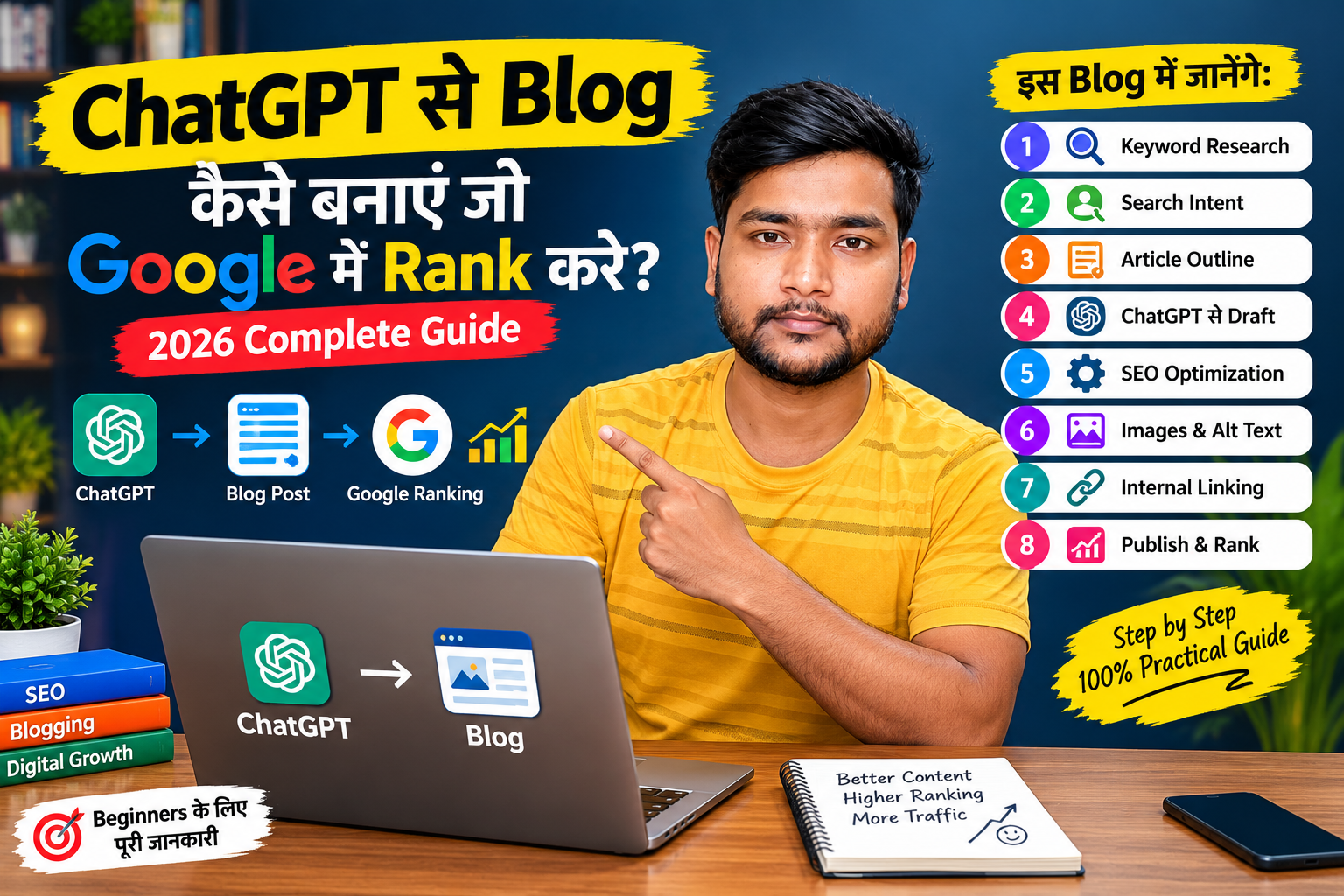
ChatGPT se blog kaise banaye: जहाँ जरूरी है वहाँ official links भी दिए हैं, और article के प्रमुख हिस्सों के लिए image ideas/visuals भी जोड़े हैं।
ChatGPT से Blog कैसे बनाएं जो Google में Rank करे? 2026 की Complete Guide
SEO Title: ChatGPT से Blog कैसे बनाएं जो Google में Rank करे? 2026 Complete Guide
Focus Keyword: ChatGPT से Blog कैसे बनाएं
Slug: chatgpt-se-blog-kaise-banaye
Meta Description: ChatGPT की मदद से SEO-friendly और Google में rank करने वाला blog कैसे बनाएं? जानिए keyword research, outline, writing, SEO, images, internal linking और publishing की पूरी प्रक्रिया।
Article Length: 2000+ Words
Category: Blogging / SEO / AI Tools
ChatGPT से Blog कैसे बनाएं जो Google में Rank करे?
ChatGPT se blog kaise likhe: आज के समय में blogging शुरू करना पहले की तुलना में काफी आसान हो गया है। आपको idea चाहिए, research करनी है, article की outline बनानी है या अपने लिखे हुए content को बेहतर करना है—इन कामों में ChatGPT आपकी काफी मदद कर सकता है।
लेकिन यहां एक बहुत जरूरी बात समझना जरूरी है।
सिर्फ ChatGPT से 2000 शब्दों का article बनाकर उसे अपने blog पर publish कर देने से Google में ranking की guarantee नहीं मिलती।
अगर आप चाहते हैं कि आपका blog Google Search में अच्छा perform करे, तो आपको search intent, useful information, original experience, proper SEO, internal linking, images, headings और content quality पर ध्यान देना होगा।
Google की Search Central documentation के अनुसार SEO का उद्देश्य search engines को आपके content को समझने में मदद करना है, जबकि content का मुख्य उद्देश्य users के लिए helpful होना चाहिए। (Google for Developers)
ChatGPT यहां आपका assistant हो सकता है, लेकिन final article में आपकी research, examples, experience और fact-checking शामिल होना बहुत जरूरी है।


ChatGPT से Blog बनाने का सही तरीका क्या है?
ChatGPT se SEO friendly blog kaise banaye: अगर आप ChatGPT से एक अच्छा blog बनाना चाहते हैं, तो इसे एक ही prompt देकर पूरा article लिखवाने के बजाय एक step-by-step workflow इस्तेमाल करें।
आपका पूरा process कुछ इस तरह होना चाहिए:
Topic → Keyword Research → Search Intent → Competitor Research → Outline → ChatGPT Draft → Human Editing → SEO Optimization → Images → Internal Links → Fact Check → Publish → Search Console
यही approach आपको केवल AI-generated article बनाने के बजाय एक useful resource बनाने में मदद करती है।
OpenAI भी ChatGPT को writing में brainstorming, drafting, revision और editing जैसे कामों के लिए उपयोग करने की सलाह देता है और output को review करने की बात करता है। (OpenAI)
1. सबसे पहले सही Topic चुनें
Blog लिखने से पहले सबसे जरूरी काम है सही topic चुनना।
ChatGPT se article kaise likhe: उदाहरण के लिए अगर आपका blog blogging के बारे में है, तो केवल:
Blogging
जैसा broad keyword target करना मुश्किल हो सकता है।
इसके बजाय आप specific topics चुन सकते हैं:
- Blogging कैसे शुरू करें?
- ChatGPT से blog कैसे बनाएं?
- New blogger की mistakes
- Blog पर traffic कैसे लाएं?
- Google में blog rank कैसे करें?
- Keyword research कैसे करें?
- Free में blog कैसे बनाएं?
इन topics में user की जरूरत ज्यादा स्पष्ट होती है।
ChatGPT से Topic Ideas निकालने का Prompt
मैं Hindi में blogging के ऊपर एक website चला रहा हूं।

मेरे लिए 30 ऐसे blog topics बताओ:
1. जिनका search intent स्पष्ट हो
2. जिन्हें beginner आसानी से समझ सके
3. जिन पर detailed article लिखा जा सके
4. जिनमें long-tail keywords की संभावना हो

हर topic के साथ:
- Primary keyword
- Search intent
- 5 related keywords
- Suggested article angle
बताओ।
लेकिन ChatGPT से मिले topics को सीधे final न मानें। उन्हें वास्तविक search results और available sources से verify करें।
2. Keyword Research करें
AI se blog kaise banaye: अब आपको यह पता करना है कि लोग Google में क्या search कर रहे हैं।
मान लीजिए आपका main topic है:
ChatGPT से Blog कैसे बनाएं
तो इससे related keywords हो सकते हैं:
- ChatGPT से blog कैसे लिखें
- ChatGPT से article कैसे बनाएं
- AI से blog कैसे बनाएं
- ChatGPT SEO blog
- ChatGPT से SEO article
- AI blogging
- ChatGPT blogging tips
- Google ranking के लिए article कैसे लिखें
इन keywords को article में प्राकृतिक तरीके से इस्तेमाल करें।
हर paragraph में keyword ठूंसने की जरूरत नहीं है।
SEO का मतलब keyword को बार-बार repeat करना नहीं है। User के सवाल का पूरा जवाब देना ज्यादा महत्वपूर्ण है।
3. Search Intent समझें
ChatGPT se blog kaise banaye: यह SEO का बहुत महत्वपूर्ण हिस्सा है।
Search Intent का मतलब है कि user किसी keyword को Google में search करके वास्तव में क्या जानना चाहता है।
उदाहरण:
Keyword:
ChatGPT से blog कैसे बनाएं
User शायद जानना चाहता है:
- ChatGPT में क्या prompt डालें?
- Article कैसे लिखें?
- SEO कैसे करें?
- Image कैसे लगाएं?
- Blog को Google में कैसे index करें?
इसलिए अगर आपका article केवल “ChatGPT क्या है?” समझाने लगेगा तो user का पूरा सवाल solve नहीं होगा।
आपको search intent के अनुसार पूरा article तैयार करना चाहिए।
4. Google के Top Results को समझें
ChatGPT se blog kaise banaye: किसी topic पर article लिखने से पहले Google पर उस keyword को search करें और देखें कि पहले page पर किस तरह के articles दिखाई दे रहे हैं।
आपको यह देखना चाहिए:
- Articles कितने detailed हैं?
- कौन-कौन से headings हैं?
- कौन से questions answer किए गए हैं?
- Images इस्तेमाल हुई हैं?
- FAQ है?
- Examples दिए गए हैं?
- Internal links हैं?
- Article beginner-friendly है?
लेकिन competitor article को copy नहीं करना चाहिए।
आपका उद्देश्य होना चाहिए:
“जो information users को चाहिए, उसे ज्यादा स्पष्ट और उपयोगी तरीके से कैसे दिया जाए?”
5. ChatGPT से पहले Outline बनवाएं
बहुत से beginners सीधे ChatGPT को कहते हैं:
“ChatGPT 2000 words का article लिखो।”
यह सबसे अच्छा तरीका नहीं है।
पहले outline बनवाएं।
Example Prompt
Topic: ChatGPT से Blog कैसे बनाएं जो Google में Rank करे

मेरे लिए एक detailed Hindi blog की SEO-friendly outline बनाओ।

Outline में शामिल करो:
- Introduction
- ChatGPT का सही उपयोग
- Keyword research
- Search intent
- Topic research
- Article outline
- SEO writing
- E-E-A-T और original experience
- Images
- Internal linking
- External sources
- Meta title
- Meta description
- URL
- FAQ
- Common mistakes
- Publishing checklist

हर H2 के नीचे जरूरी H3 भी बताओ।
इससे आपको पूरे article का structure पहले मिल जाएगा।
6. अब ChatGPT से Article लिखवाएं
Outline तैयार होने के बाद article को section-by-section लिखवाना ज्यादा अच्छा तरीका है।
उदाहरण:
इस outline के पहले section को Hindi में लिखो।

Requirements:
- आसान भाषा
- छोटे paragraphs
- practical examples
- beginner-friendly explanation
- unnecessary repetition नहीं
- keyword stuffing नहीं
- जहां जरूरी हो bullet points
- original examples
इसके बाद अगला section बनाएं।
इससे आपको article पर ज्यादा control मिलेगा।
OpenAI की writing guidance भी planning → drafting → revising → packaging जैसे workflow की बात करती है। (OpenAI)
7. ChatGPT को अपना पूरा Writer नहीं, Assistant बनाएं
ChatGPT se blog kaise banaye: यह सबसे महत्वपूर्ण बातों में से एक है।
ChatGPT से पूरा article बनवाकर बिना पढ़े publish करना सही workflow नहीं है।
इसके बजाय ChatGPT का इस्तेमाल करें:
Ideas के लिए
नए topics और angles निकालने के लिए।
Research Assistant के रूप में
किसी topic को समझने और research questions तैयार करने के लिए।
Outline बनाने के लिए
H2 और H3 structure तैयार करने के लिए।
Editor के रूप में
अपने article की grammar और readability सुधारने के लिए।
SEO Assistant के रूप में
Title, meta description, FAQs और related keywords के ideas के लिए।
OpenAI की official guidance में भी ChatGPT को writing collaborator, editor और research assistant जैसे roles में इस्तेमाल करने के उदाहरण दिए गए हैं। (OpenAI)


8. Article में अपना Original Experience जोड़ें
ChatGPT se blog kaise banaye: यहीं पर AI-generated article और genuinely useful article में बड़ा फर्क आता है।
मान लीजिए आप “Blogging कैसे शुरू करें” पर article लिख रहे हैं।
ChatGPT सामान्य जानकारी दे सकता है।
लेकिन आप इसमें अपनी practical बातें जोड़ सकते हैं:
- आपने कौन सा blogging platform इस्तेमाल किया?
- शुरुआत में क्या समस्या आई?
- कौन सी mistake हुई?
- किस तरह keyword research किया?
- कितने articles publish किए?
- किस तरह images बनाई?
- Search Console में क्या देखा?
- कौन सा तरीका आपके लिए काम नहीं किया?
इस तरह article में वास्तविक अनुभव जुड़ता है।
यही आपकी content की अलग पहचान बना सकता है।
9. AI Content को Fact Check जरूर करें
ChatGPT से मिले हर factual statement को automatically सही नहीं मानना चाहिए।
खासकर इन चीजों को verify करें:
- Statistics
- Dates
- Prices
- Google policies
- Software features
- Government information
- Medical information
- Financial information
- Technical specifications
इसके लिए official sources को प्राथमिकता दें।
उदाहरण के लिए Google SEO से जुड़ी जानकारी के लिए:
और ChatGPT के features या official information के लिए:
10. External Links यानी बाहर के Useful Links दें
ChatGPT se blog kaise banaye: आपके article में relevant external links भी होने चाहिए।
लेकिन केवल SEO के लिए random websites को link न करें।
उदाहरण के लिए अगर आप Google Search के बारे में बात कर रहे हैं तो Google की official documentation को link कर सकते हैं।
Google Search Central की documentation में Search appearance, structured data, images और SEO से संबंधित official guidance उपलब्ध है। (Google for Developers)
आप यह link उपयोग कर सकते हैं:
Google Search Central SEO Documentation
11. Internal Linking करना न भूलें
ChatGPT se blog kaise banaye: अगर आपके blog पर पहले से related articles हैं तो नए article में उनके links जरूर दें।
मान लीजिए आपके पास ये articles हैं:
Article 1: New Blogger की 10 बड़ी गलतियां
Article 2: Keyword Research कैसे करें
Article 3: Blog Post SEO कैसे करें
Article 4: Google Search Console कैसे इस्तेमाल करें
अब “ChatGPT से Blog कैसे बनाएं” वाले article में इनसे relevant जगह पर internal links दें।
उदाहरण:
अगर आप blogging में नए हैं तो पहले New Blogger की 10 बड़ी गलतियां जरूर पढ़ें।
फिर उस text को अपने article के URL से link करें।
इससे readers को related information आसानी से मिलती है और website का content structure भी बेहतर होता है।
12. Blog में Images जरूर इस्तेमाल करें
ChatGPT se blog kaise banaye: एक detailed article केवल text से boring हो सकता है।
आप relevant images का इस्तेमाल कर सकते हैं:
- Featured image
- Step-by-step screenshots
- Infographics
- Process diagrams
- Examples
- Tables
- Original illustrations
लेकिन image केवल decoration के लिए न लगाएं।
हर image का article से relation होना चाहिए।
Google की Article structured-data guidance भी article के लिए relevant images इस्तेमाल करने और crawlable/indexable image URLs रखने की सलाह देती है। (Google for Developers)


इस article के लिए image ideas
Image 1 — Featured Image
Text:
ChatGPT से Blog कैसे बनाएं जो Google में Rank करे?
Visual: Laptop + ChatGPT + Google Search + Blog page.
Image 2 — Keyword Research
Visual:
Keyword → Search Intent → Content
Image 3 — AI Writing Workflow
Visual:
Research → Outline → ChatGPT → Human Editing → SEO → Publish
Image 4 — SEO Checklist
Visual:
Title + URL + Headings + Images + Internal Links + Search Console
13. Images में Alt Text डालें
ChatGPT se blog kaise banaye: हर important image में descriptive alt text दें।
उदाहरण:
ChatGPT से SEO friendly blog बनाने का तरीकालेकिन alt text में keyword को जबरदस्ती भरने की जरूरत नहीं है।
Alt text का उद्देश्य image को समझने में मदद करना होना चाहिए।
14. SEO-Friendly Title बनाएं
आपका title user को यह बताना चाहिए कि article में उसे क्या मिलेगा।
इस article के लिए कुछ title ideas:
Option 1
ChatGPT से Blog कैसे बनाएं जो Google में Rank करे? 2026 Guide
Option 2
ChatGPT से SEO-Friendly Blog कैसे लिखें? Beginner की Complete Guide
Option 3
ChatGPT से Blog बनाने का सही तरीका: Keyword से Google Ranking तक
मेरे हिसाब से article के लिए पहला title सबसे सीधा है क्योंकि इसमें main topic स्पष्ट दिखाई देता है।
15. Meta Description लिखें
Meta description user को search result में article का short introduction देता है।
उदाहरण:
ChatGPT से SEO-friendly blog कैसे बनाएं? जानिए keyword research, search intent, content writing, images, internal linking और Google Search Console की पूरी प्रक्रिया।
ध्यान रखें कि meta description केवल keywords की list नहीं होनी चाहिए।
16. URL छोटा और साफ रखें
ChatGPT se blog kaise banaye: बहुत लंबा URL बनाने की जरूरत नहीं है।
उदाहरण:
example.com/chatgpt-se-blog-kaise-banayeइसके बजाय:
example.com/chatgpt-se-blog-kaise-banaye-2026-google-ranking-tips-best-complete-guideजैसा unnecessarily लंबा URL avoid किया जा सकता है।
17. H1, H2 और H3 का सही इस्तेमाल करें
Article structure साफ रखें।
उदाहरण:
H1: ChatGPT से Blog कैसे बनाएं?

H2: ChatGPT से Blog बनाने का सही तरीका

H2: Keyword Research कैसे करें?

H3: Long-tail Keywords क्या हैं?

H3: Search Intent कैसे समझें?

H2: ChatGPT से Article कैसे लिखें?

H2: Blog का SEO कैसे करें?

H3: Title Optimization

H3: Internal Linking

H3: Image SEO
इससे article को पढ़ना आसान होता है।
18. FAQ Section जरूर जोड़ें
आप article के अंत में users के common questions का जवाब दे सकते हैं।
FAQ
क्या ChatGPT से Blog लिखकर Google में Rank कर सकते हैं?
ChatGPT se blog kaise banaye: की मदद से blog का draft, outline, research और editing तैयार की जा सकती है। लेकिन ranking केवल AI इस्तेमाल करने पर निर्भर नहीं करती। Content की usefulness, relevance, quality, website और कई अन्य factors भी महत्वपूर्ण होते हैं।
क्या ChatGPT से पूरा article लिखवाना चाहिए?
आप ChatGPT से draft तैयार करवा सकते हैं, लेकिन publish करने से पहले उसे पढ़ना, edit करना, fact-check करना और अपने original examples जोड़ना बेहतर है।
क्या AI-generated content Google में Rank हो सकता है?
AI इस्तेमाल करना अपने-आप में ranking की guarantee या automatic penalty का मतलब नहीं है। महत्वपूर्ण बात यह है कि content उपयोगी, reliable और users के लिए बनाया गया हो तथा spam policies का पालन करे। Google अपनी Search guidance में people-first content पर जोर देता है। (Google for Developers)
Blog post कितने शब्दों का होना चाहिए?
कोई ऐसा universal word count नहीं है जो हर keyword पर ranking सुनिश्चित करे। Article उतना ही लंबा होना चाहिए जितना user के सवाल को अच्छी तरह answer करने के लिए आवश्यक हो।
क्या हर blog में images होनी चाहिए?
Relevant images user experience और content understanding में मदद कर सकती हैं। लेकिन केवल संख्या बढ़ाने के लिए unrelated images नहीं लगानी चाहिए।
19. Publish करने से पहले यह SEO Checklist इस्तेमाल करें
Article publish करने से पहले यह checklist जरूर देखें।
Content Checklist
☐ Topic clear है
☐ Search intent समझा गया है
☐ Article original है
☐ Important facts verify किए गए हैं
☐ Personal experience/examples जोड़े गए हैं
☐ Introduction useful है
☐ H2/H3 properly लगाए गए हैं
☐ Paragraph छोटे हैं
☐ Spelling और grammar check की गई है
SEO Checklist
☐ Primary keyword title में है
☐ URL छोटा है
☐ Meta description तैयार है
☐ Relevant keywords naturally इस्तेमाल हुए हैं
☐ Internal links जोड़े गए हैं
☐ Useful external links दिए गए हैं
☐ Images optimized हैं
☐ Alt text दिया गया है
☐ FAQ section है
Technical Checklist
☐ Page mobile-friendly है
☐ Page properly accessible है
☐ Indexing settings check की गई हैं
☐ Sitemap available है
☐ Search Console configured है
☐ Broken links check किए गए हैं
Google Search Central के अनुसार Search Console website की Search performance और indexing को monitor करने में मदद करता है। (Google for Developers)


20. Google Search Console में Performance देखें
ChatGPT se blog kaise banaye: Article publish करने के बाद काम खत्म नहीं होता।
आपको यह देखना चाहिए कि article:
- Google में index हुआ या नहीं
- किन queries पर दिखाई दे रहा है
- कितने impressions आ रहे हैं
- कितने clicks मिल रहे हैं
- CTR कैसी है
- कौन से keywords से traffic आ रहा है
इसके लिए official tool:
काम आता है।
Google की documentation के अनुसार Search Console यह समझने में मदद करता है कि Google Search में आपकी website कैसा perform कर रही है और indexing से संबंधित जानकारी भी देता है। (Google for Developers)
21. Article Publish करने के बाद Update करें
ChatGPT se blog kaise banaye: एक अच्छा blog post publish करने के बाद हमेशा वैसे ही पड़ा नहीं रहना चाहिए।
कुछ समय बाद Search Console data देखकर आप article को improve कर सकते हैं।
उदाहरण:
आपने article में लिखा:
ChatGPT से blog कैसे बनाएं?
लेकिन Search Console में impressions किसी query पर आ रहे हैं:
ChatGPT से SEO article कैसे लिखें?
तो आप उस relevant question को article में naturally explain कर सकते हैं।
इस तरह article users के actual questions के हिसाब से बेहतर हो सकता है।
ChatGPT के लिए एक Complete Blog Prompt
ChatGPT se blog kaise banaye: अगर आप हर बार शुरुआत से prompt नहीं बनाना चाहते तो यह template save कर सकते हैं:
मैं Hindi में एक detailed SEO blog लिखना चाहता हूं।

Topic: [अपना topic लिखें]

Primary Keyword: [keyword]

Target Audience: [beginner/intermediate/advanced]

मेरे लिए पहले:
1. Search intent identify करो
2. Primary keyword के related keywords बताओ
3. 10-15 important questions बताओ
4. SEO-friendly H1, H2 और H3 outline बनाओ

इसके बाद article लिखो।

Requirements:
- Natural Hindi language
- Beginner-friendly explanation
- छोटे और readable paragraphs
- Practical examples
- Tables जहां useful हों
- Bullet points जहां जरूरी हों
- Keyword stuffing नहीं
- Repetition नहीं
- Fake statistics नहीं
- Unverified claims नहीं
- Helpful introduction
- Detailed conclusion
- FAQ section
- Meta title
- Meta description
- Suggested URL
- Internal linking suggestions
- External source suggestions
- Image suggestions
- हर major section के लिए image idea
- Article कम से कम 2000 words का हो

Important:
जहां factual information हो वहां उसे verify करने योग्य source बताओ।
Article को final publish करने से पहले human editing के लिए suitable draft की तरह तैयार करो।
ChatGPT से Blog बनाने में होने वाली 10 बड़ी गलतियां
1. पूरा article बिना पढ़े publish करना
AI ने लिखा है इसलिए सही होगा—ऐसा मानना गलत है।
2. हर जगह keyword डालना
Keyword stuffing article को unnatural बना देता है।
3. दूसरे websites की copy करना
Competitor से ideas लेना अलग बात है और content copy करना अलग।
4. Fake information डालना
AI-generated information को verify करना जरूरी है।
5. सिर्फ 2000 शब्द पूरे करना
2000 words अपने-आप में ranking factor नहीं हैं। User के सवाल का complete answer ज्यादा महत्वपूर्ण है।
6. Images का इस्तेमाल न करना
जहां visual explanation useful हो, वहां relevant images content को बेहतर बना सकती हैं।
7. Internal links न देना
Related articles को connect करने से users को ज्यादा information मिल सकती है।
8. पुराने content को कभी update न करना
Search queries और information बदल सकती है।
9. केवल Google के लिए लिखना
सबसे पहले reader के लिए लिखें।
10. तुरंत ranking की उम्मीद करना
Article publish करने और search performance दिखने के बीच समय लग सकता है। Google की documentation के अनुसार crawling और indexing में समय लग सकता है। (Google for Developers)
निष्कर्ष: ChatGPT से Blog बनाएं, लेकिन सिर्फ AI पर निर्भर न रहें
ChatGPT se blog kaise banaye: अगर आप पूछते हैं कि “ChatGPT से blog कैसे बनाएं जो Google में rank करे?”, तो इसका सबसे practical जवाब यह है:
ChatGPT + Keyword Research + Search Intent + Original Information + Human Editing + SEO + Useful Images + Internal Linking + Fact Checking + Regular Updates
इन सभी चीजों को मिलाकर एक मजबूत article तैयार किया जा सकता है।
ChatGPT आपको blank page से शुरू करने की परेशानी से बचा सकता है। आप इसका इस्तेमाल ideas, outline, drafting, editing और research assistance के लिए कर सकते हैं। लेकिन final content में आपकी अपनी सोच, examples, अनुभव और fact-checking होना article को ज्यादा useful बना सकता है। OpenAI की own writing guidance भी ChatGPT को drafting और revision में सहायक tool के रूप में इस्तेमाल करने और output को review करने पर जोर देती है। (OpenAI)
और सबसे जरूरी बात—
Google में rank करने के लिए सिर्फ AI-generated article बनाने का लक्ष्य न रखें। ऐसा article बनाएं जिसे पढ़ने के बाद user को अपने सवाल का पूरा और भरोसेमंद जवाब मिल जाए।
यही approach आपके blog को long-term में मजबूत बनाने में मदद कर सकती है।
Useful Official Resources
- Google Search Central — Google Search और SEO की official documentation
- Google SEO Starter Guide — SEO basics
- Google Search Console — indexing और performance monitoring
- Google Article Structured Data Guide — article structured data और image guidance
- OpenAI Writing with ChatGPT — ChatGPT को writing workflow में इस्तेमाल करने की official guidance
आपके Blog के लिए Suggested Featured Image
Image Text:
ChatGPT से Blog कैसे बनाएं जो Google में Rank करे?
2026 Complete SEO Guide
Visual: Laptop screen पर ChatGPT → Blog Article → SEO → Google Search Ranking का clean workflow.
इस article के लिए ऊपर दिए गए visuals को अलग-अलग images के रूप में बनाया जा सकता है—Featured Image, Keyword Research, AI Writing Workflow, SEO Checklist और Search Console वाली image। Google की guidance के अनुसार article images content से relevant होनी चाहिए और crawl/index की जा सकने वाली होनी चाहिए। (Google for Developers)Contact UsTerms & ConditionsPrivacy PolicyDisclaimerAbout Us